Lunarium Demo Walkthrough
Event and Steam demo content — second-chapter slice, two bosses, shortcuts, and what carries over to launch.
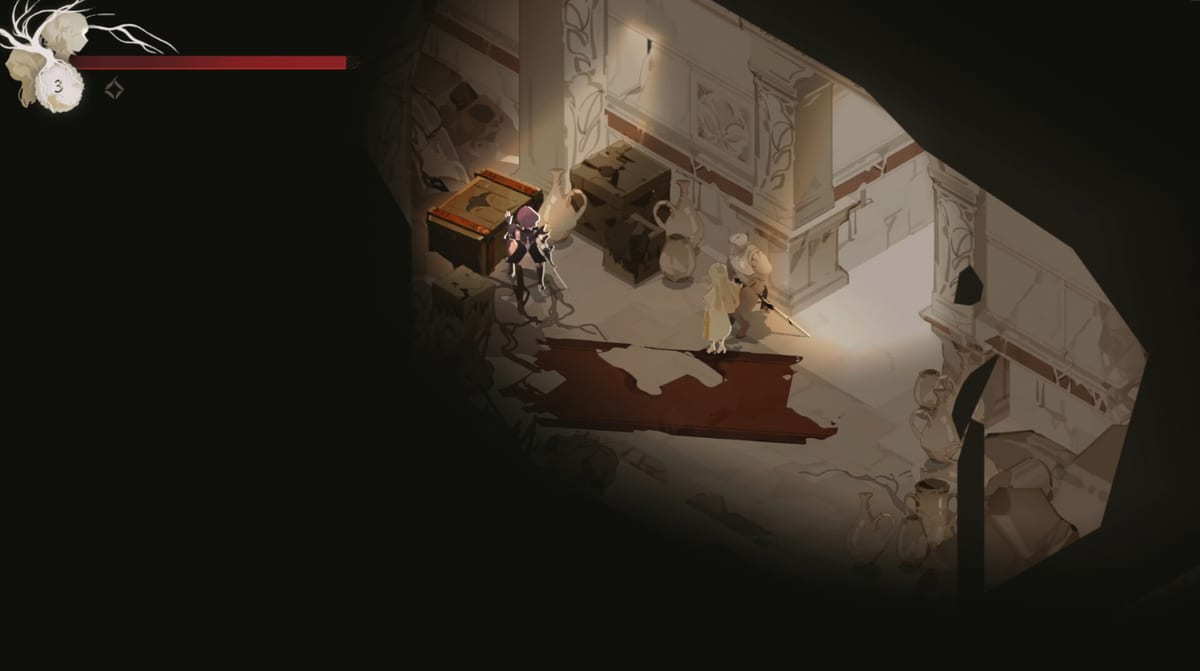
Lunarium’s playable demo circulated at events like PAX East 2026 and through Steam demo periods, offering roughly an hour of hand-drawn isometric action RPG gameplay. Developer notes and preview coverage agree: the demo is not the game’s opening — it drops players into a self-contained section of chapter two, with skill trees and progression partially pre-unlocked. This walkthrough maps what you experience, how to clear it efficiently, and how demo lessons transfer to the July 29, 2026 full release on Steam (app 2939790).
Demo availability note
Public demo status fluctuates. TechTimes reported no demo available at some points; Steam community posts discuss post-launch combat patches for demo builds. Add Lunarium to your wishlist and check the Steam page for current demo download status before following this route.
Reference video: Getting Started embed uses YouTube walkthrough oMmVwlndX5E for visual pacing.
What the demo includes
Based on IndieGamesDevel hands-on preview and PAX coverage:
- Playable character: Ave only — no Lune character swap (Getting Started)
- Companion: Lune present for magic, resonance, exploration assists
- Duration: ~1 hour for skilled players; longer for parry learners
- Bosses: Two boss encounters (details intentionally sparse in previews)
- Systems active: Benches, Prayers, embroidery/cloak menus, skill trees (pre-progressed), resonance combat
- Tone: Higher difficulty than Forgotten Forest retail intro — closer to World Map Ruined Castle density
Recommended demo route
Step 1 — Orient controls
Open settings immediately (Controls). Bind parry comfortably — demo patches adjusted combat feel after player feedback. Disable auto lock-on if camera snaps annoy you.
Step 2 — Learn bench loop
First bench teaches:
- Save/rest
- Prayer refill (Items & Materials)
- Embroidery and cloak menus (Embroidery Guide, Cloak System)
- Brief Ave/Lune dialogue
Treat benches as progression hubs, not mere checkpoints.
Step 3 — Combat fundamentals
Engage standard knights and mutants:
- Practice parry-first defense (Combat, Parry & Dodge)
- Build resonance meter with Lune chip + your punishes (Resonance System)
- Spend weaken on elites before burning Prayers
Break objects for material fragments — purpose unclear in demo but teaches exploration habit.
Step 4 — Shortcuts and level design
PAX players praised “plenty to explore, not enough to get lost” with shortcuts in well-chosen corners. Explore side paths before main gate — optional resources ease boss attempts.
Isometric camera: use right-stick nudge to peek ambushes.
Step 5 — First demo boss
Preview impressions describe pattern-learning focus:
- Identify parryable vs dodge-only attacks
- Apply weaken at fight start
- Save execution spend for stagger window
- Do not heal during animation learning phase
Detailed universal boss tips: Boss Guide.
Step 6 — Mid-demo progression
Skill points may already be allocated — experiment anyway to feel Ave vs Lune tree differences (Skill Tree Guide). Swap embroidery presets at each bench when fights spike.
Temple upgrade UI may be limited or pre-boosted — retail Temple Upgrades expands this loop in Forgotten Forest hub.
Step 7 — Final demo boss (PAX highlight)
So Many Games called the demo cap “tough-as-nails” with immensely satisfying parries. Expect:
- Dense phase patterns
- High punishment on greedy attacks
- Resonance execution check
Persistence over leveling — demo under-levels intentional skill test.
Step 8 — Demo end
Demo concludes without full story resolution — no Endings Guide content. Narrative hooks about memory and Starfarer identity tease retail arcs.
Demo vs. full game differences
| Aspect | Demo | Full release |
|---|---|---|
| Starting region | Chapter two slice | Forgotten Forest intro |
| Skill trees | Partially unlocked | Gradual tutorial unlock |
| Difficulty curve | Steep immediately | Gentle forest teaching |
| Story context | In medias res | Full Ave/Lune setup |
| Endings | Not playable | Two finales |
| Areas | Single section | Forest, Castle, Archipelago |
Do not assume retail opens as hard as demo — Getting Started forest path calibrates difficulty.
Developer post-demo changes
Steam community dev posts mention:
- Combat action feel improvements after feedback
- Localization and menu fixes
- Anti-misclick for tutorial dialogue choices
Re-test parry timing after downloading updated demo builds.
What to practice before launch
- Parry reliability above 70% on demo knights
- Resonance weaken → execution sequence without hesitation
- Bench discipline — rest before bosses, swap cloak presets
- Camera awareness on ledges mimicking castle verticality
Transfer checklist for July 29 launch
When full game unlocks:
- Replay Controls settings — defaults may differ slightly
- Start World Map from Forgotten Forest, not demo chapter
- Re-read Embroidery Guide as slots unlock slower in retail
- Use Boss Guide for named retail bosses beyond demo scope
The demo is a skill sampler and tone trailer — melancholic, parry-centric, partnership-driven — not the whole constellation Ave and Lune will cross when Lunarium launches in full.
Frequently Asked Questions
Quick answers to the most common questions.
Does the Lunarium demo start at the beginning of the game?
No. It uses a self-contained chapter-two section with partially unlocked progression.
How long is the Lunarium demo?
About one hour depending on exploration and parry learning time.
How many bosses are in the demo?
Two boss encounters were featured in preview builds shown at events like PAX East 2026.
Is demo progress carried to the full game?
No. Demo saves are separate; skills learned transfer only as player experience.
Was the demo combat updated after feedback?
Yes. Developers posted Steam updates improving combat feel and tutorial dialogue safeguards.