Lunarium Guides & Walkthroughs
Every mechanic, area, and boss strategy for Ave and Lune's journey — from first bench to both endings.
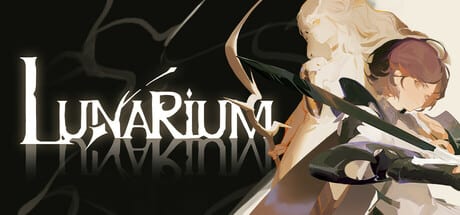
Welcome to the Lunarium guides hub. Lunarium is a hand-drawn isometric action RPG from Lunarium Game Studio, now available on Steam (app 2939790) and Epic Games Store after its July 29, 2026 launch. You play as Ave, a light-armored sword knight, while Lune — a mysterious Starfarer — supports you with magic, resonance attacks, and environmental solutions. This hub collects every walkthrough and mechanic guide on the wiki so you can jump straight to what you need.
Whether you finished the demo, started your launch-day session, or are chasing a specific ending, start here and follow the links below. Guides are organised into three collections for easier navigation — Combat, Build & Progression, and World & Walkthrough — plus standalone essentials like Getting Started and Controls.
Guide collections
Browse by topic instead of scrolling a long list:
- Combat Guides — parry and dodge, Focus system, Resonance coordination
- Build & Progression — Embroidery, Cloaks, skill trees, Temple upgrades, materials
- World & Walkthrough — world map, bosses, endings, demo route
Each collection links to deep-dive pages with full FAQ sections. PC navigation shows these collections first; every sub-guide remains reachable from its collection hub.
New to Lunarium?
If this is your first time in the crumbling world of Lunarium, begin with Getting Started. That page covers the opening hour: bench save points, Prayers as healing items, how Lune assists without character swapping, and the core loop of explore → fight → return to the Temple. Pair it with Controls so you are comfortable with movement, camera, parry input, and Lune command shortcuts before difficulty spikes.
Combat & synergy
Lunarium rewards reaction speed more than passive dodging. Start with the Combat Guides collection for parry timing, Focus System economy, and Resonance System coordination.
Build & progression
Progression runs through interconnected systems detailed in the Build & Progression collection — Embroidery charms, Cloak presets, dual skill trees, Temple crafting, and material farming.
World, bosses & story
The campaign spans three major regions in the World & Walkthrough collection. Story context lives in Endings Guide and Story & Lore.
Recommended reading order
- Getting Started → Controls
- Combat Guides collection
- Build & Progression collection
- World & Walkthrough collection
Guides marked featured on the home page rotate as patches land. Bookmark this hub; we update pages when Steam and Epic patches, demo revisions, or post-launch balance notes arrive. See also Game review for preview impressions and Patch notes for changelog tracking.
Frequently Asked Questions
Quick answers to the most common questions.
Where should I start if I never played Lunarium?
Read Getting Started and Controls first, then Combat, Parry & Dodge and Resonance System before tackling bosses or build guides.
Does Lunarium let you switch between Ave and Lune?
No. You always control Ave directly. Lune is an AI companion who casts support magic, resonance skills, and environmental abilities on your command.
Which guides cover the Steam demo?
Demo Walkthrough documents the event build, while Getting Started and World Map explain systems that appear in both demo and full game.
How many endings does Lunarium have?
Two. Endings Guide explains what shapes each route without listing every story flag — read it before the final chapter if you want guidance.
Will these guides work after the July 29 launch?
Yes. Pages focus on durable systems — parry, resonance, embroidery, temple upgrades — and note when details come from demo builds that may change.